Free plugin · by BigLoop

Ultimate Estimated Delivery Date

Show customers when their order will arrive, on product pages, in the cart, at checkout and in order emails. Free and open source, and one of several free plugins we’re releasing for the WordPress community.

  • Free and open source (GPLv2 or later)
  • No personal data, no external requests
  • Works with classic and block checkout
Delivery estimates Product page Cart & checkout Order emails Free & open source Privacy-first WPML ready
Design Develop Automate Launch Scale Support
Features

Everything you need to set delivery expectations

Answer the “when will it arrive?” question before customers have to ask.

📅

Flexible delivery rules

Show a date range (min–max days) or a single fixed date, and skip weekends.

🧭

Rules at every level

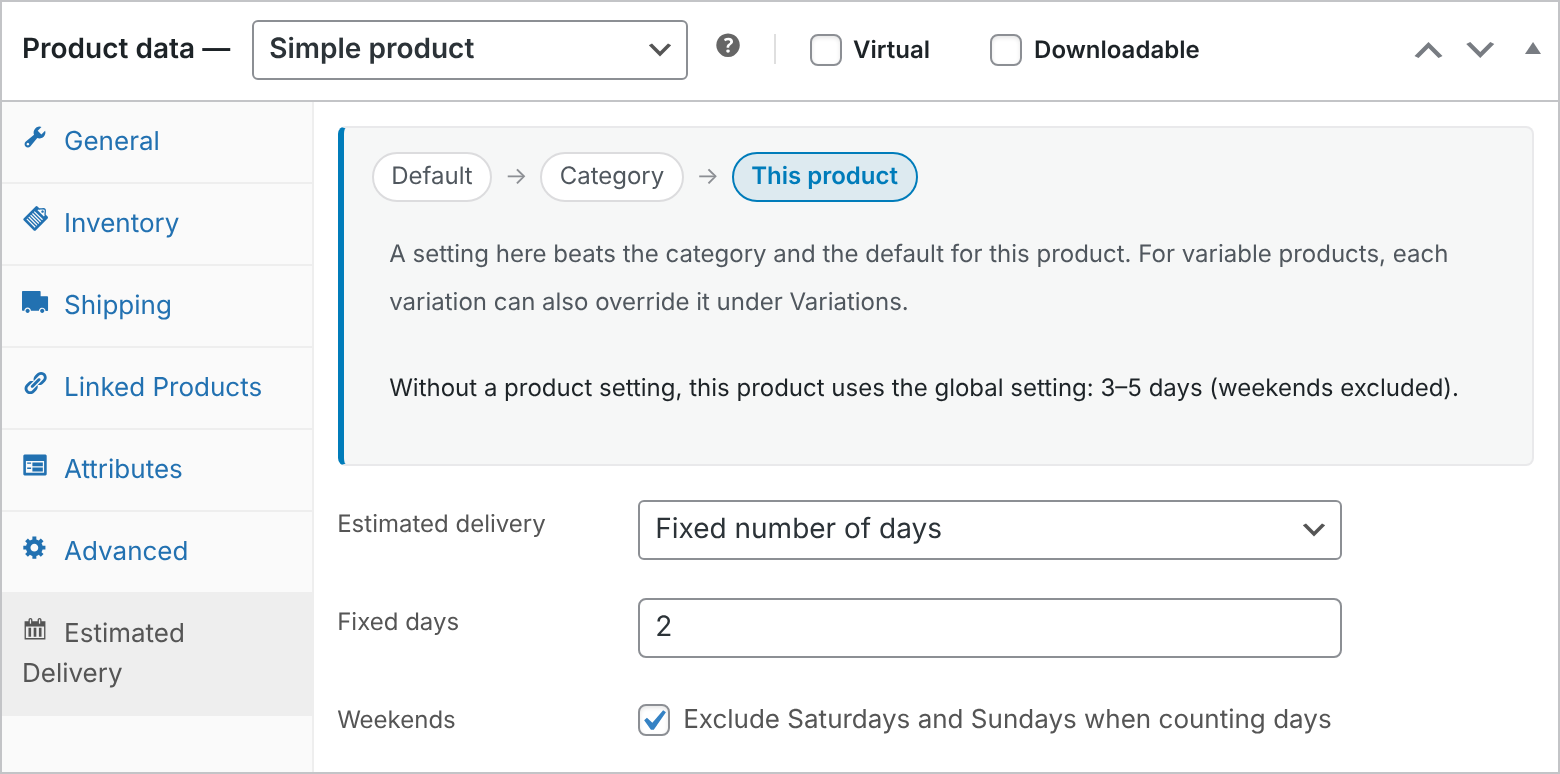
Set estimates for the whole store, categories, products or variations. More specific rules win.

📍

Shown where it matters

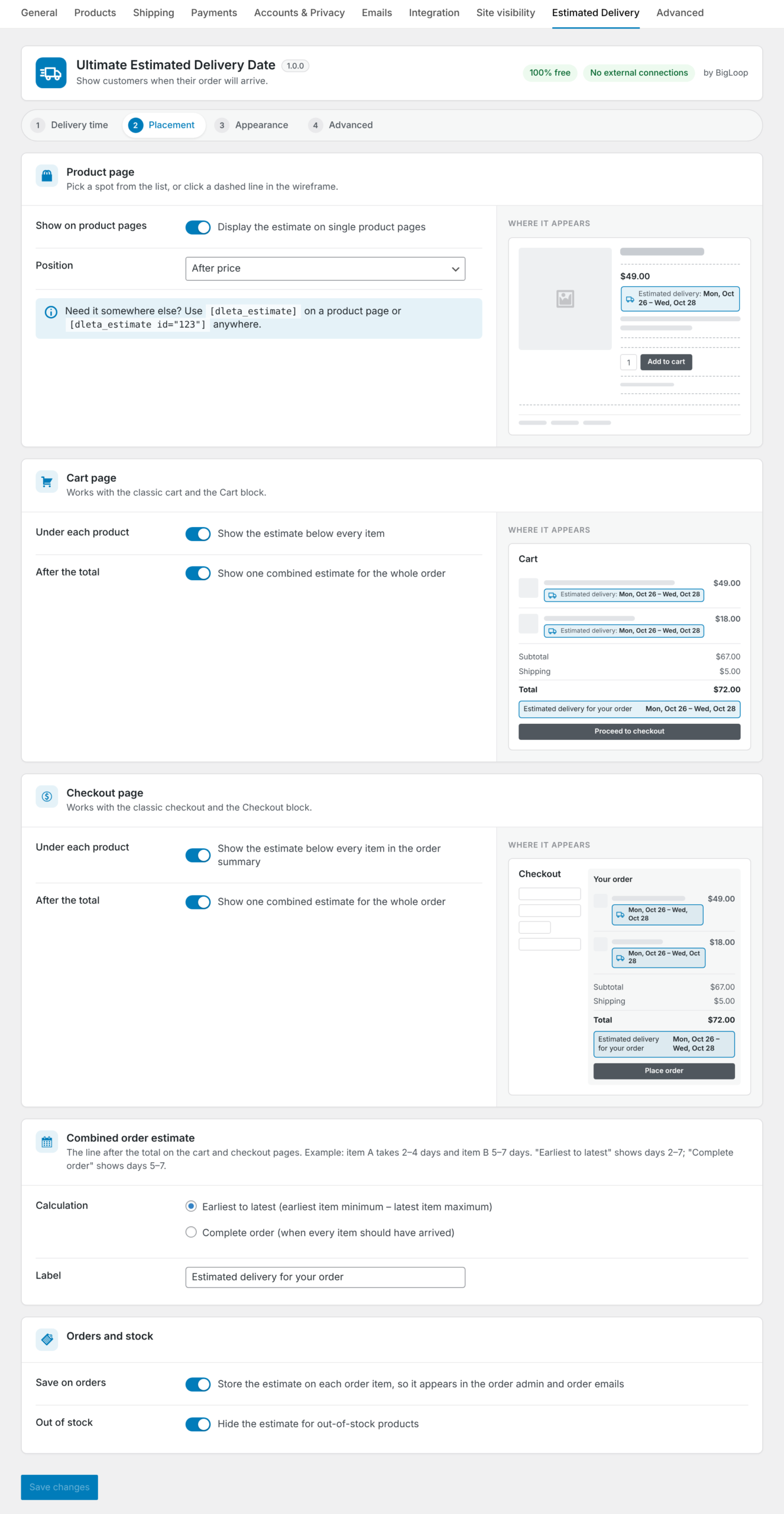
Choose positions on the product page, plus cart and checkout (classic and block-based).

🧾

Saved with orders

The estimate is stored on each order item, so it appears in order admin and emails.

🎨

Fully customizable

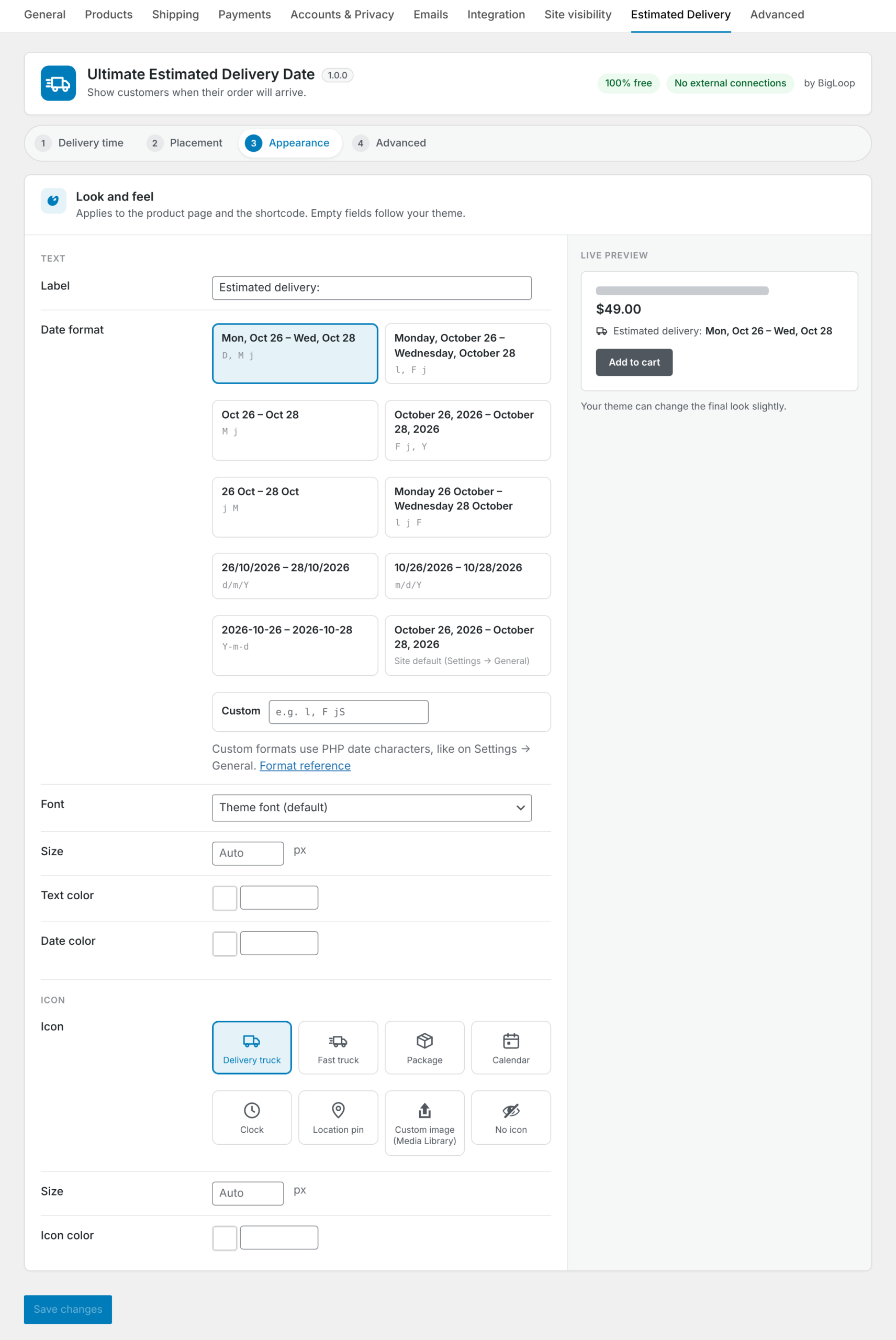
Icons, fonts, sizes, colors and date formats, with a live preview.

🌍

Translation-ready

Compatible with WPML, Polylang and right-to-left languages.

🔌

Developer friendly

Shortcodes and filters for full control in your theme or custom code.

🔒

Privacy-first

Collects no personal data, makes no external requests and loads no remote files.

Works with your store

Part of a bigger delivery experience

Delivery estimates answer one of the biggest questions shoppers have before they buy. The plugin works on any WooCommerce online store, and we often configure it per product and category as part of product list management.

It also fits neatly into our automations: orders that arrive through the Groupon integration keep their estimate on every line item, and teams using the ClickUp integration can include it on each task. Our AI live chat can even quote delivery dates to customers automatically.

Need something the plugin doesn’t do yet? Our custom WordPress plugin development service builds custom features and entirely new plugins for stores of every size.

Screenshots

See it in action

Click any screenshot to view it full size.

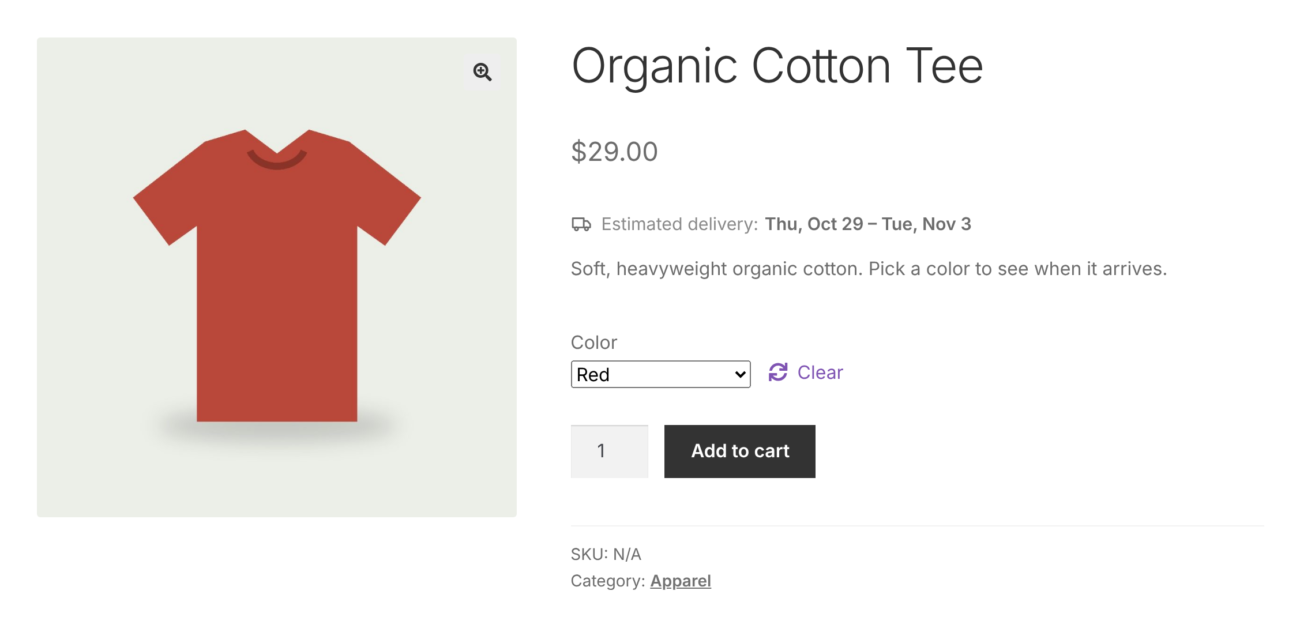
Product page estimate

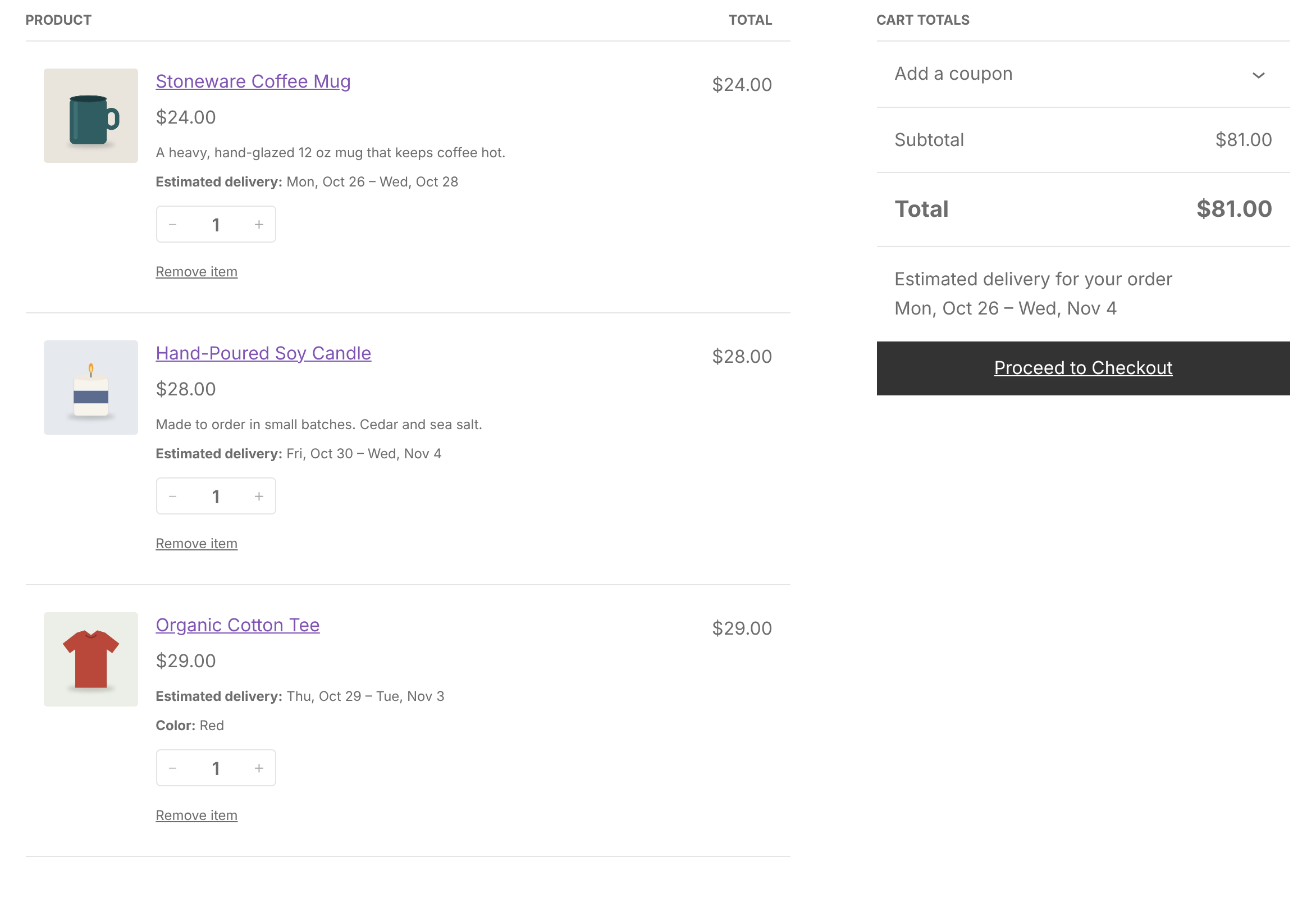
Cart & checkout

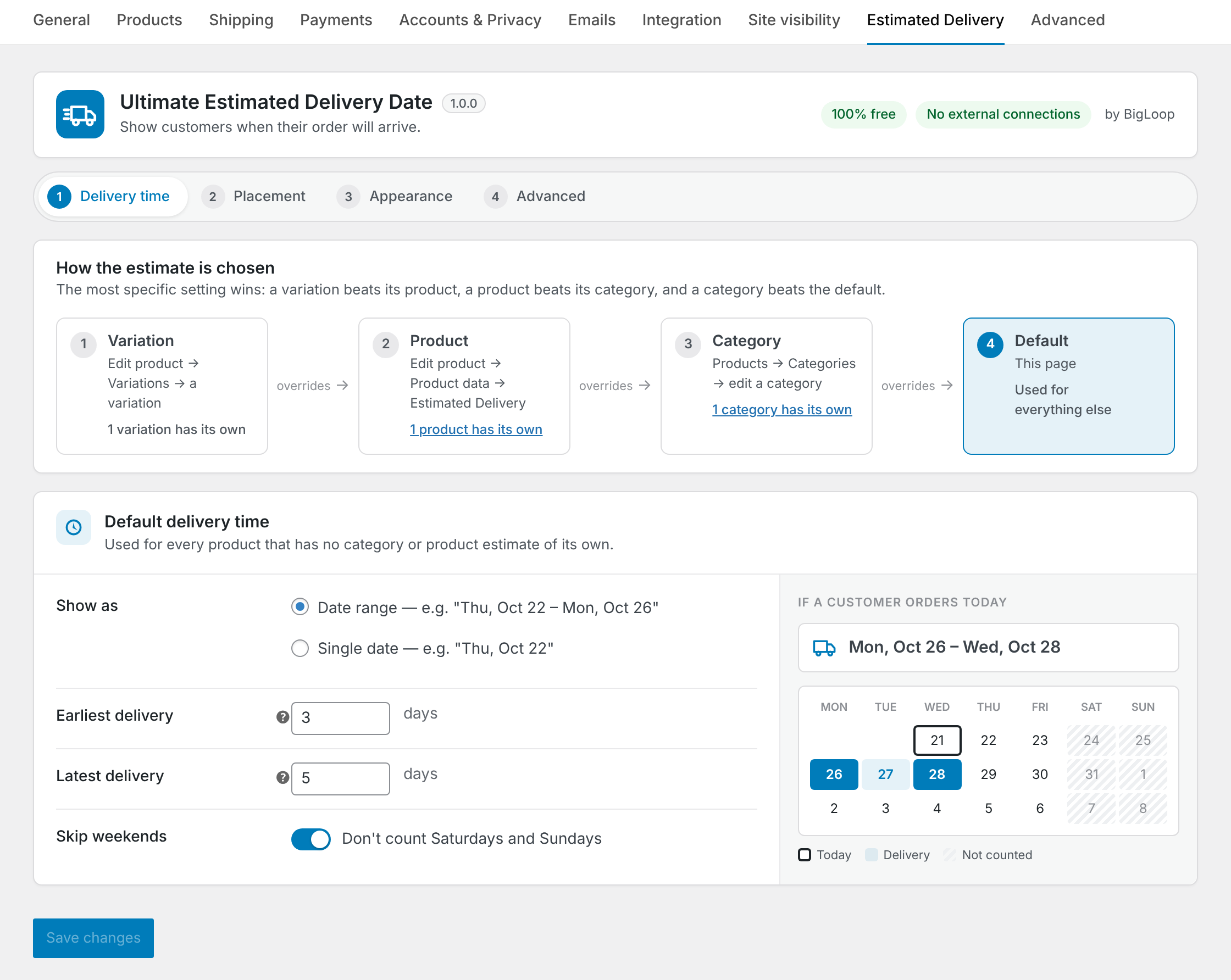
Delivery time settings

Placement settings

Appearance settings

Per-product settings

FAQ

Plugin FAQ

Questions about the plugin? Open an issue on GitHub or send us a message.

Where does the delivery estimate appear?

On the product page (in the position you choose), in the cart and at checkout, with an optional combined estimate after the cart total. It can also be saved on each order so it shows in order admin and emails.

How do I set delivery times?

Set a store-wide default as a range of minimum and maximum days, or a single fixed date, and choose whether weekends are skipped.

Can I choose where the estimate is displayed?

Yes. Pick from several product page positions and turn the estimate on or off for the cart and checkout.

Can I change how it looks?

Yes. Choose built-in or custom icons, fonts, sizes, colors and date formats, with a live preview. Styles use CSS custom properties that themes can override.

Can products have different delivery times?

Yes. Override the store default per category, product or variation, or hide the estimate for specific items. More specific settings take priority.

Can I show the estimate anywhere else?

Yes. Use the shortcode on a product page, or anywhere on your site. Developers can also use filters such as dleta_start_date, dleta_is_skipped_day and dleta_resolved_rule.

Is it really free? Does it collect data?

Yes, it’s completely free and licensed GPLv2 or later. It collects no personal data, makes no external requests and loads no remote files.

What are the requirements?

WordPress 6.5 or later, WooCommerce 8.0 or later and PHP 7.4 or later. It is compatible with HPOS, WooCommerce Subscriptions, WPML, Polylang and RTL languages.

How do I install it?

Download the .zip from GitHub, then in your dashboard go to Plugins → Add New → Upload Plugin, choose the file and activate it. Settings are under WooCommerce.

Works great with

Pairs well with

Services that make this one even more powerful.

🛒

E-commerce websites

Need a store to run it on? We build those.

⚙️

Business automations

Automate orders and fulfilment around it.

💬

Livechat with AI

Let AI chat quote delivery dates to shoppers.

Need a custom plugin?

We build custom WordPress plugins with the same care we put into this one.